
2022–2026Intuit Mailchimp
Principal Product Designer
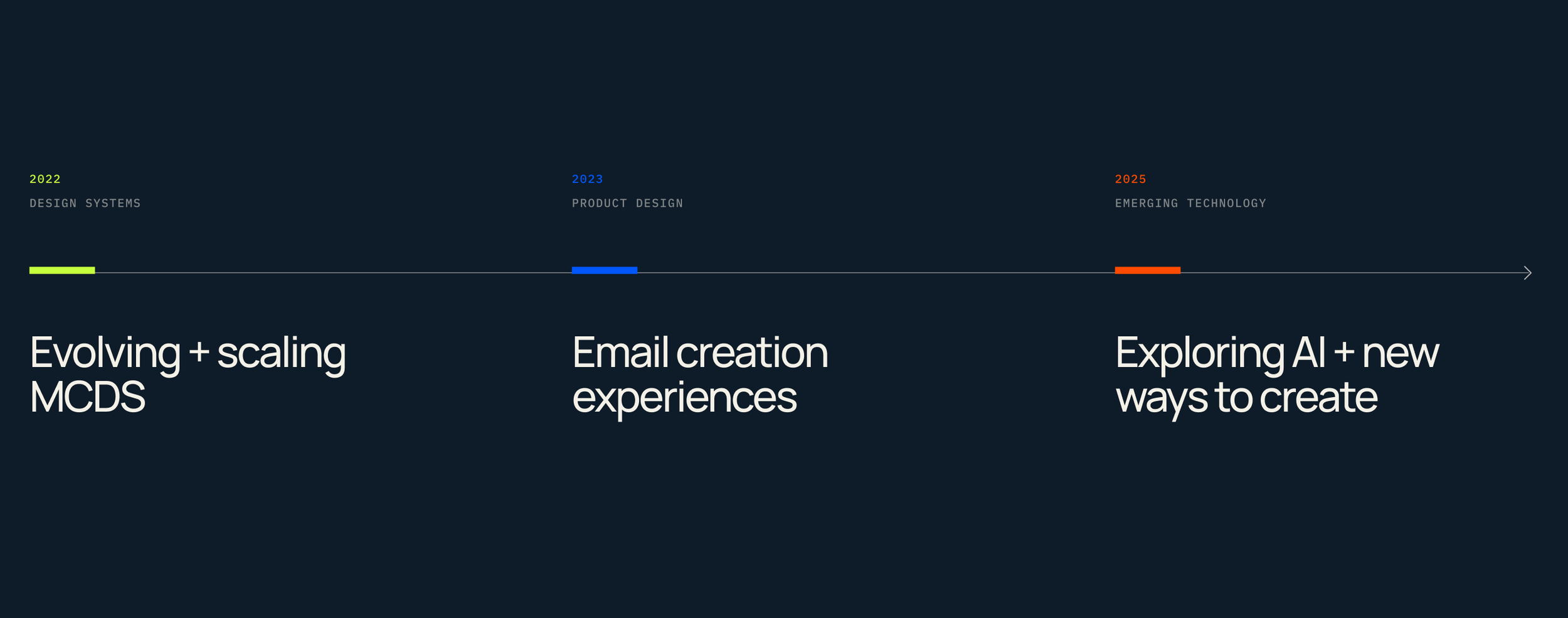
Over four years at Mailchimp, my work evolved from shaping the systems behind the product, to designing the product itself, to exploring how emerging technology could change how people create.
01 / SYSTEMS LEADERSHIPEvolving MCDS
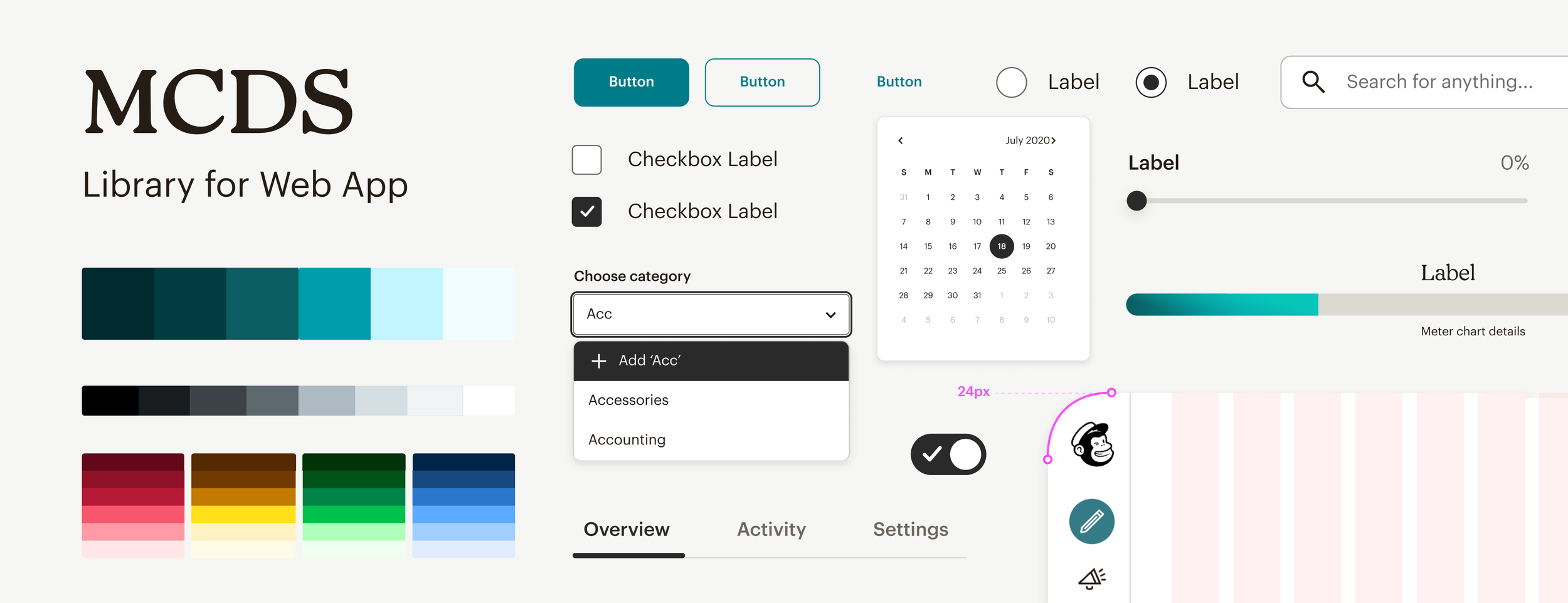
When I joined Mailchimp’s Design Systems team, MCDS was already deeply embedded across the product. As Mailchimp itself was evolving, I saw an opportunity to evolve the system with it, looking beyond individual component updates at the foundations, components, and product experience as one connected system.
I helped lead a visual refresh across color, typography, iconography, and core components, exploring those decisions directly in the Mailchimp product to understand how they worked together across existing experiences.
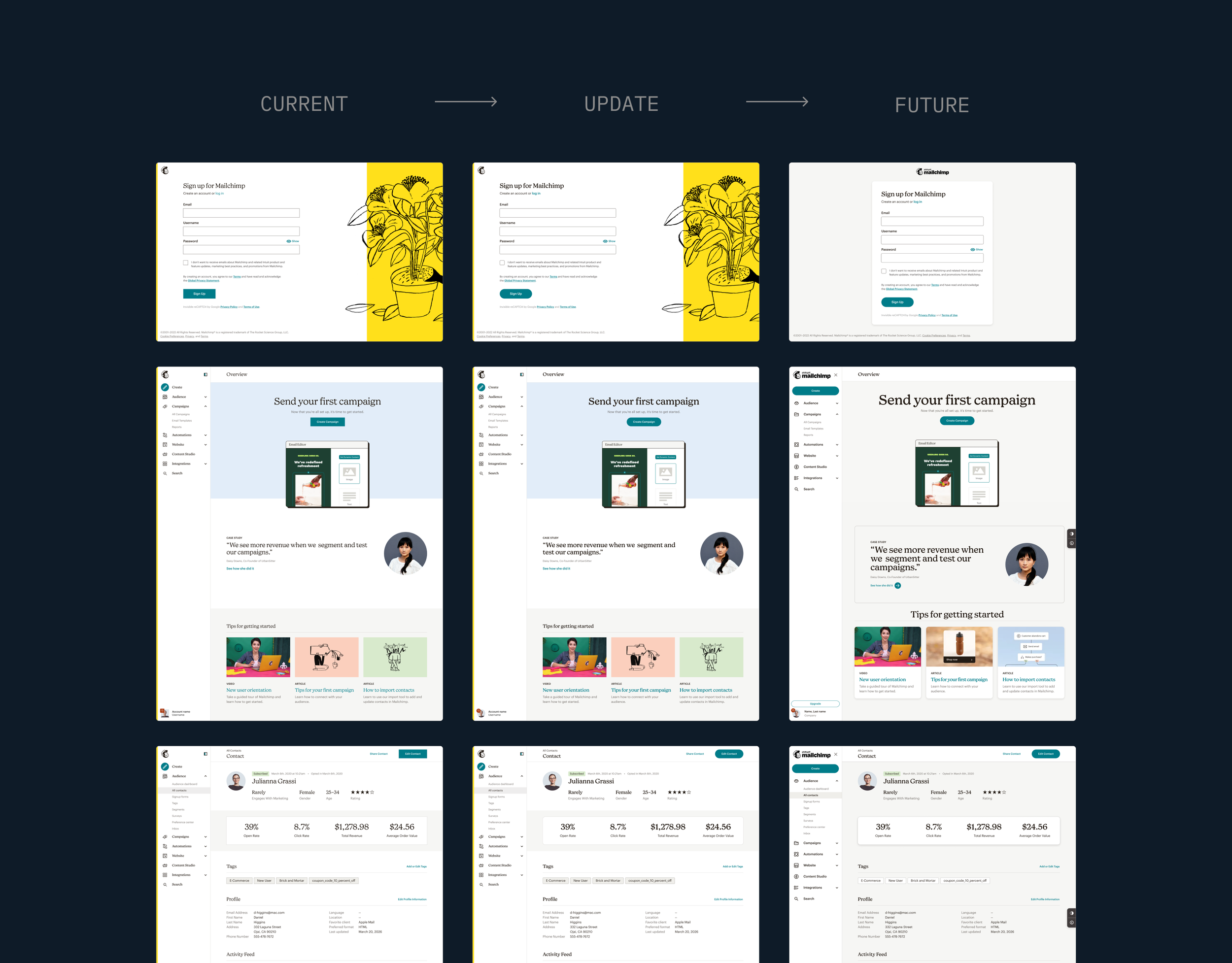
Evolving the system in context
Working from foundations through individual components, I used product-level explorations to understand the broader impact of changes to MCDS. Seeing those decisions in context helped us move beyond updating components in isolation and make decisions across the product.
Mailchimp’s acquisition by Intuit also created an opportunity to rethink where the two systems could align. I explored a functional color palette based on the Intuit Design System while preserving Mailchimp’s core brand colors, creating greater consistency across the ecosystem without losing Mailchimp’s identity.
Scaling MCDS
MCDS supported a large product organization, but the central Design Systems team was only two designers. As more teams needed changes to the system, I saw an opportunity to shift from a centralized model, where the core team did most of the work, to one where product teams could contribute directly.
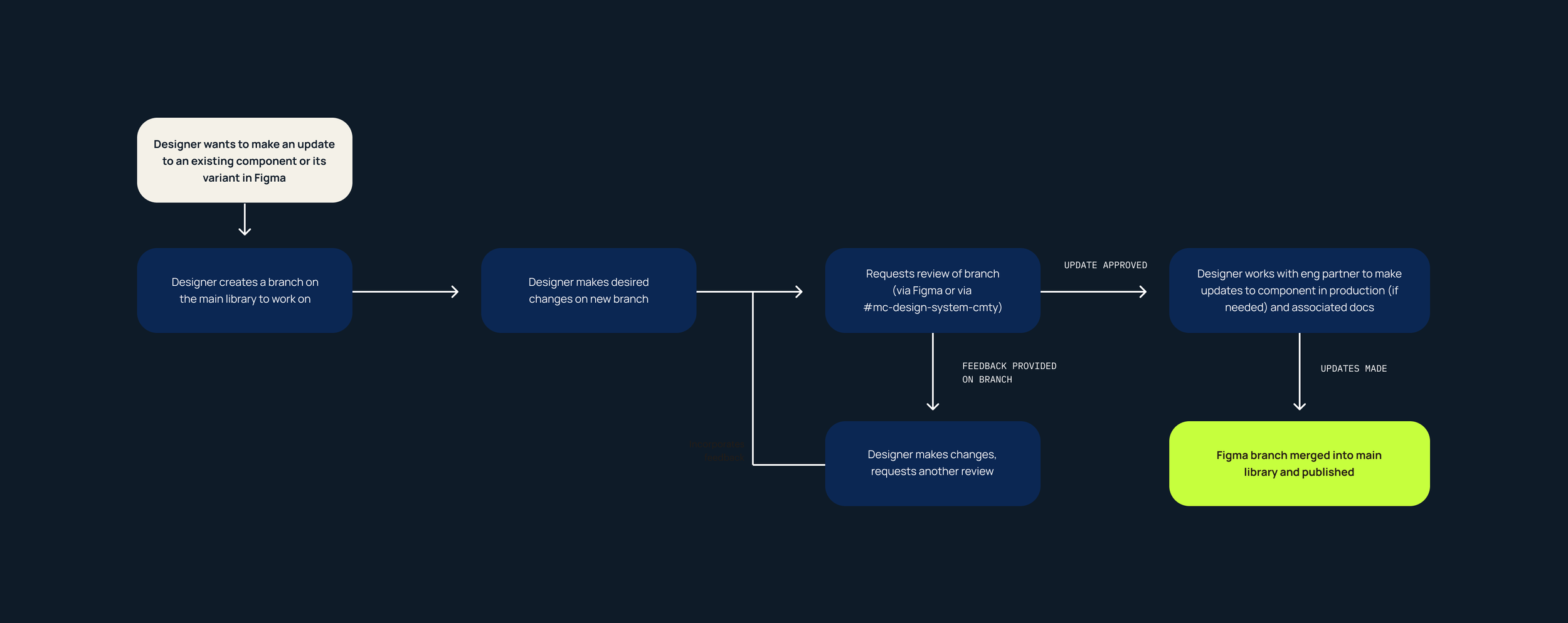
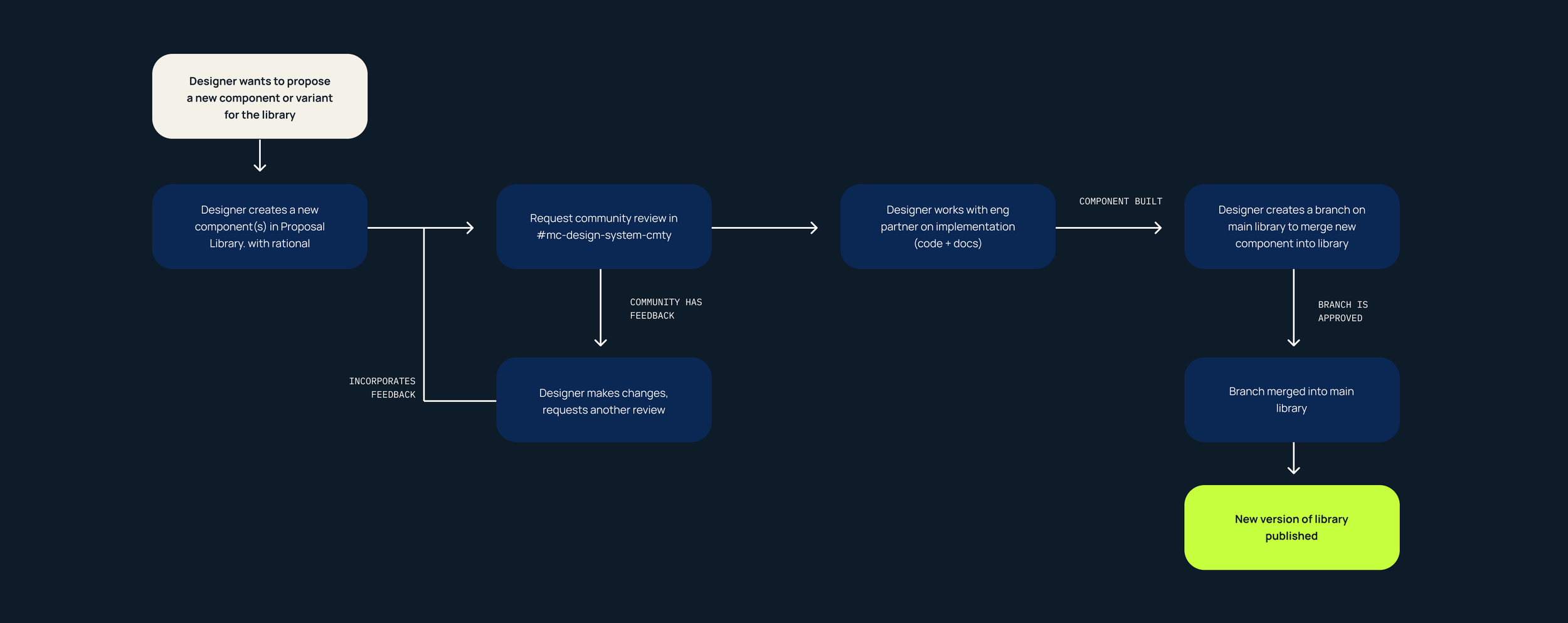
I created a contribution model with two clear paths: one for improving existing components and another for proposing new components, variants, or patterns.
I. Designing the contribution model
I designed the workflows around how teams were already working, connecting Figma branching, design review, engineering partnership, and publishing into a process product teams could follow without relying on the central team to drive every change.
For net-new additions, I introduced an earlier proposal and community feedback stage to validate whether a new component or pattern belonged in MCDS before teams invested in building it.
Improve what exists
Introduce something new
II. Decentralizing contribution
To support the model, I helped establish a group of five Design System Champions who could provide guidance closer to the product teams doing the work. Teams could also staff engineers from their own areas, who partnered with Design Systems engineers through review and implementation.
This allowed product teams to move within their own timelines while the Design Systems team maintained oversight and focused more of its capacity on evolving MCDS.
Early Impact
The model gave product teams more ownership while creating more capacity for the central team to focus on evolving MCDS.
5
Design Systems Champions
2
Contribution paths
6
Contributions in the first month
III. Extending the feedback loop
After moving into the Email team, I continued participating in MCDS reviews, bringing product needs back into the system from the perspective of a team using it every day.
That collaboration also extended across Intuit through a recurring group of Design Systems designers, where we shared patterns and identified opportunities for alignment across products.
02 / PRODUCT CRAFTShaping the Email Editor
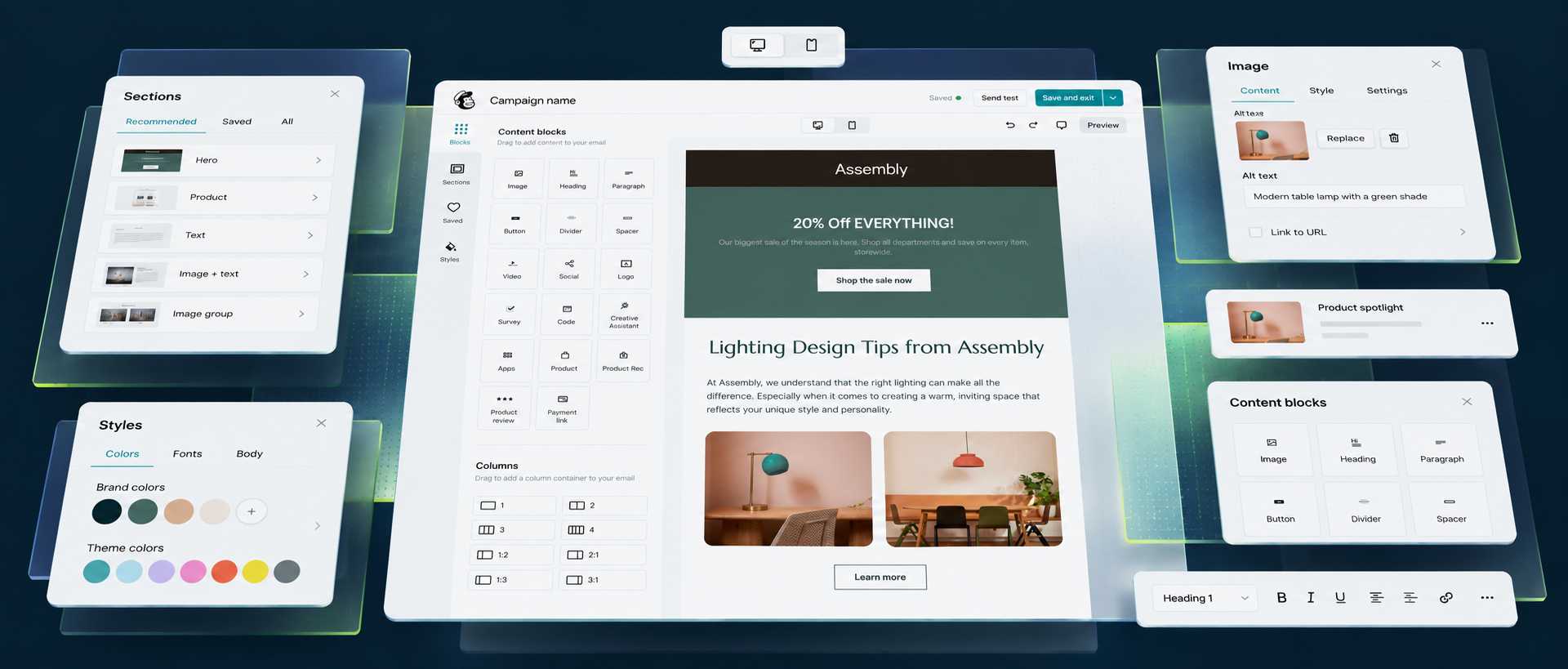
Moving from Design Systems into the Email team shifted my focus from evolving the system to designing the product experiences it supported. I worked across the Email Editor, designing new ways to create, organize, style, and edit content while continuing to bring a systems perspective to the work.
Introducing Sections
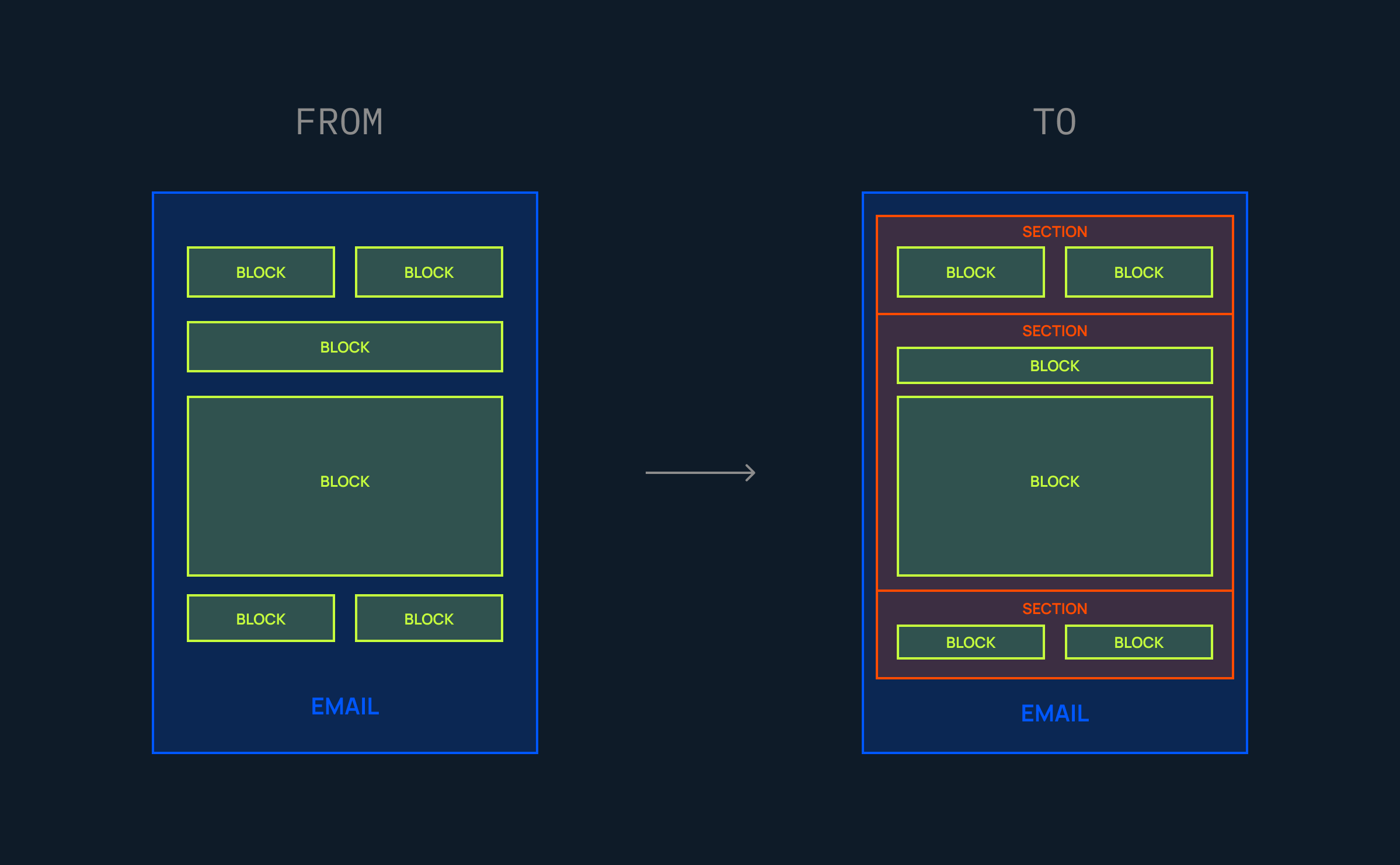
The Email Editor was built around individual content blocks, but there wasn’t a structural layer for organizing groups of content within an email.
I introduced Sections as a new structural layer, grouping blocks into larger areas that customers could manage as a unit and creating a foundation for more flexible ways to build.
I. STRUCTURE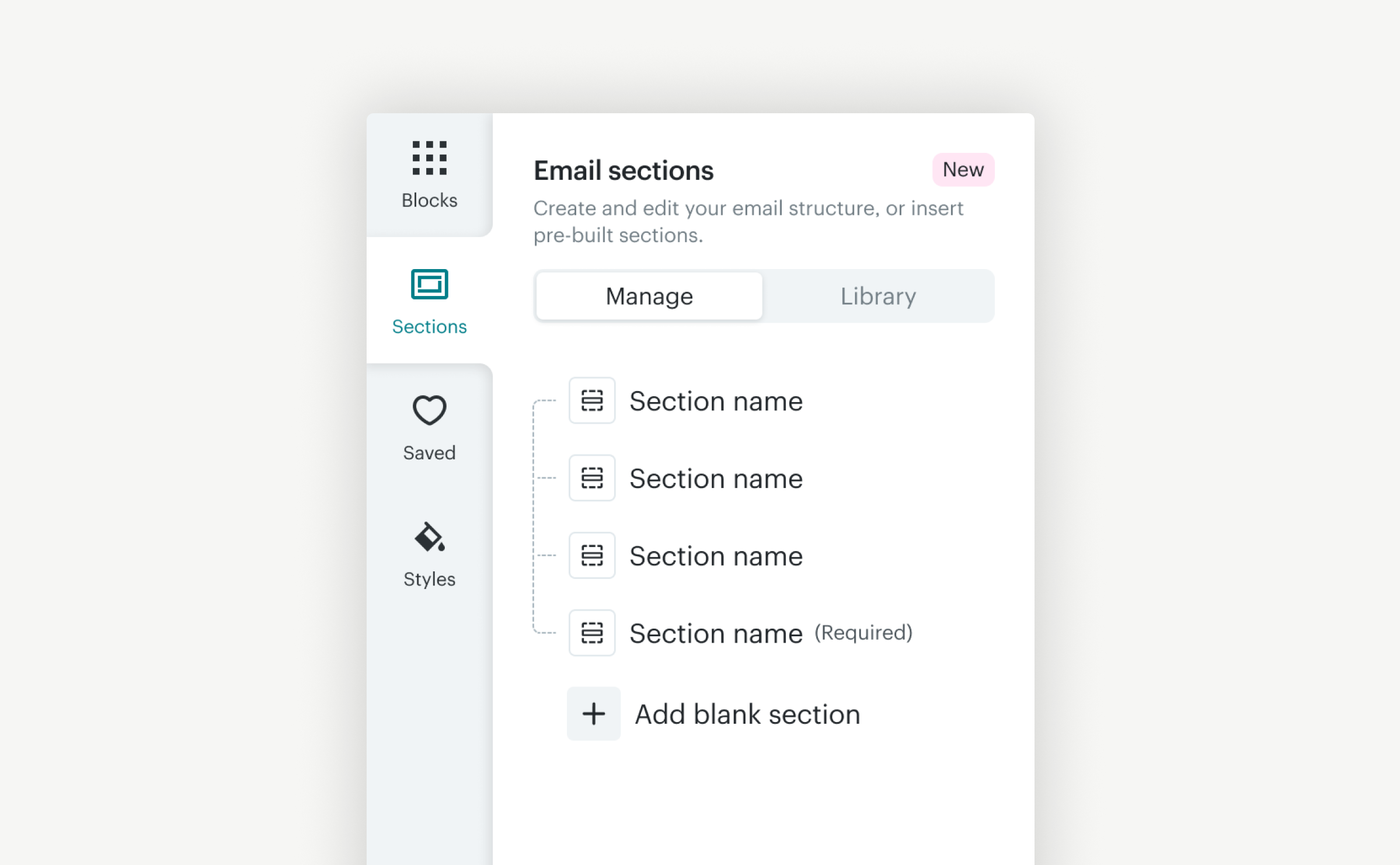
Add and organize content into Sections
→
II. FLEXIBILITY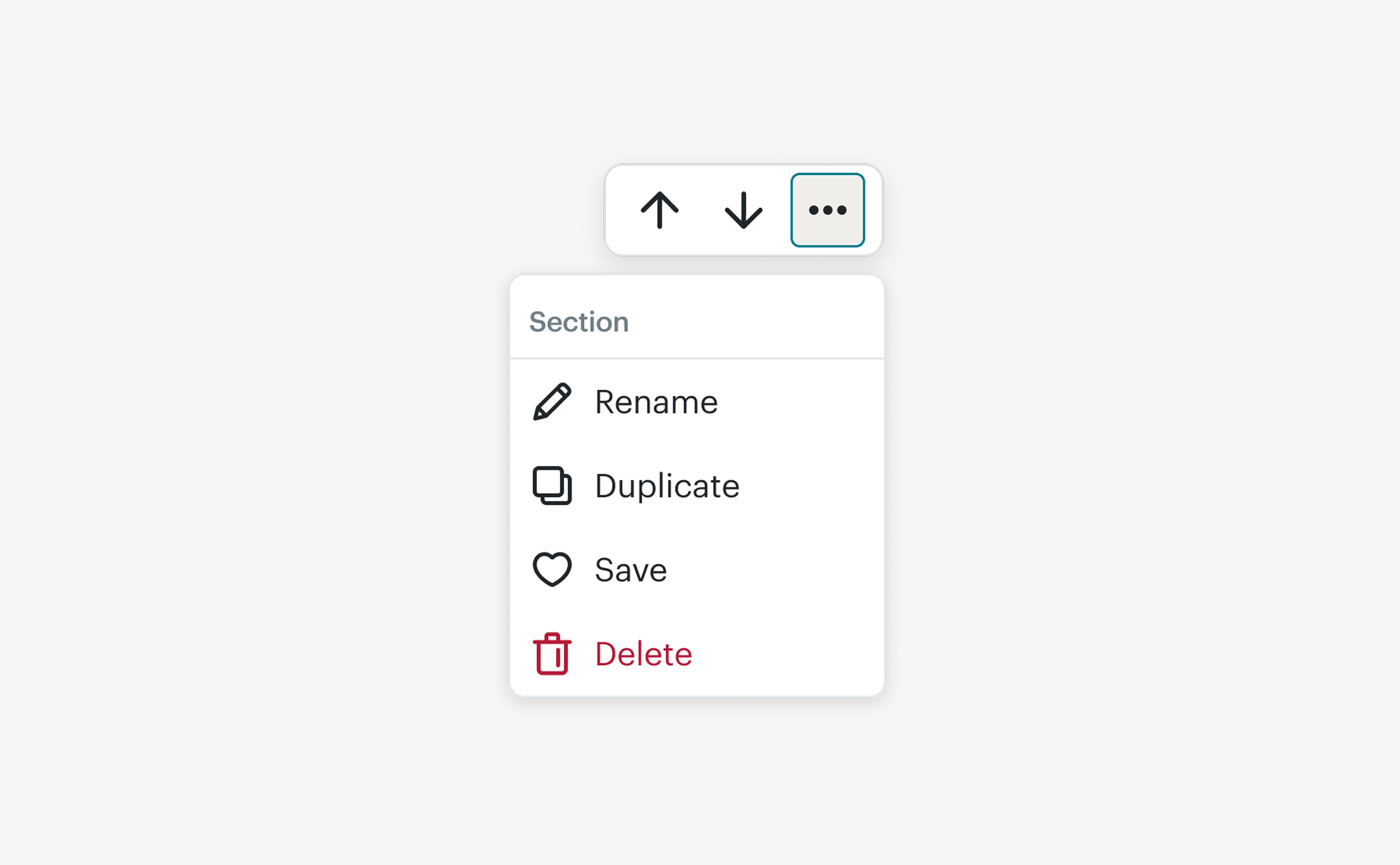
Move · Rename · Duplicate · Manage
→
III. REUSE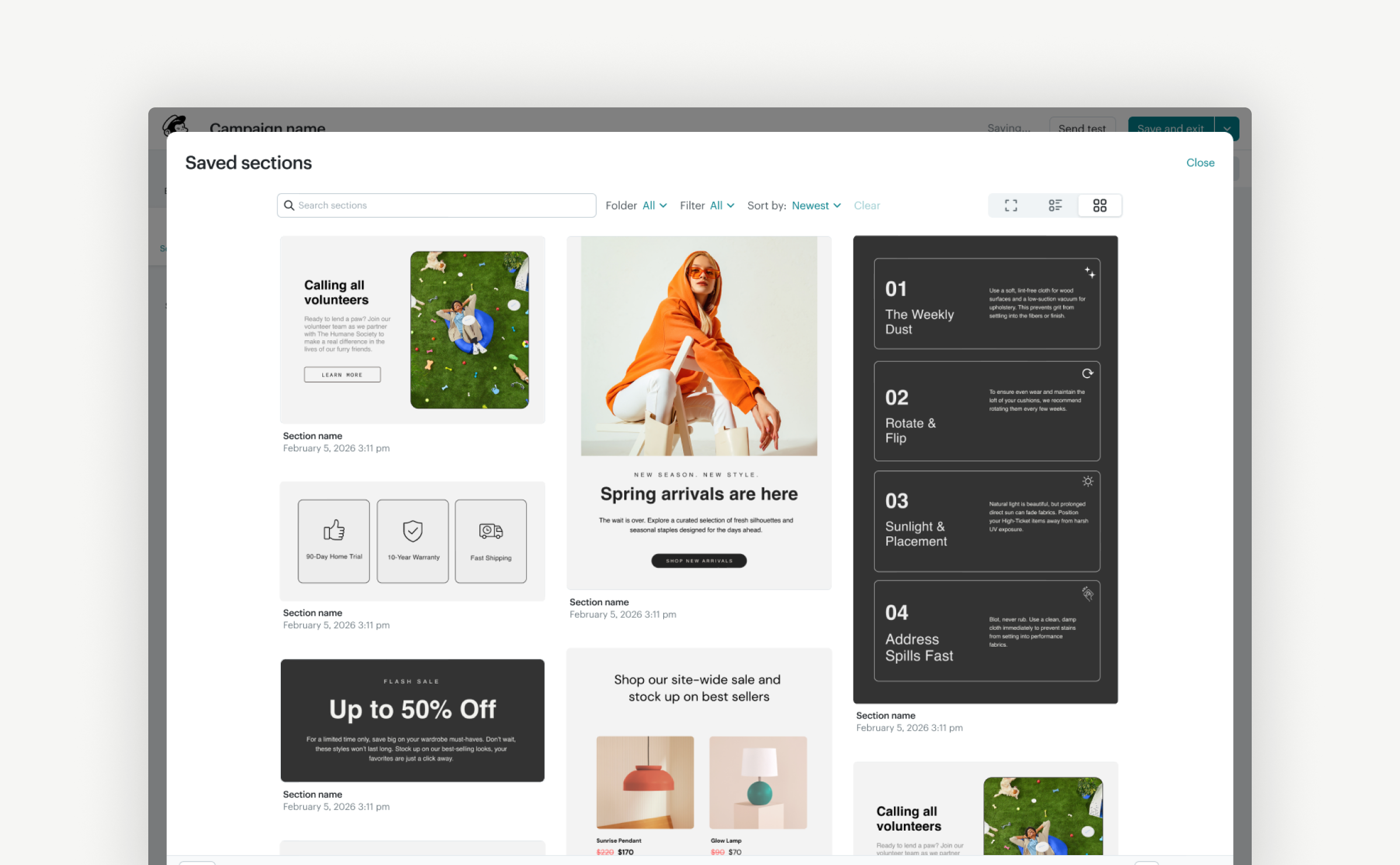
Save · Reuse · Build a library
Validating the mental model
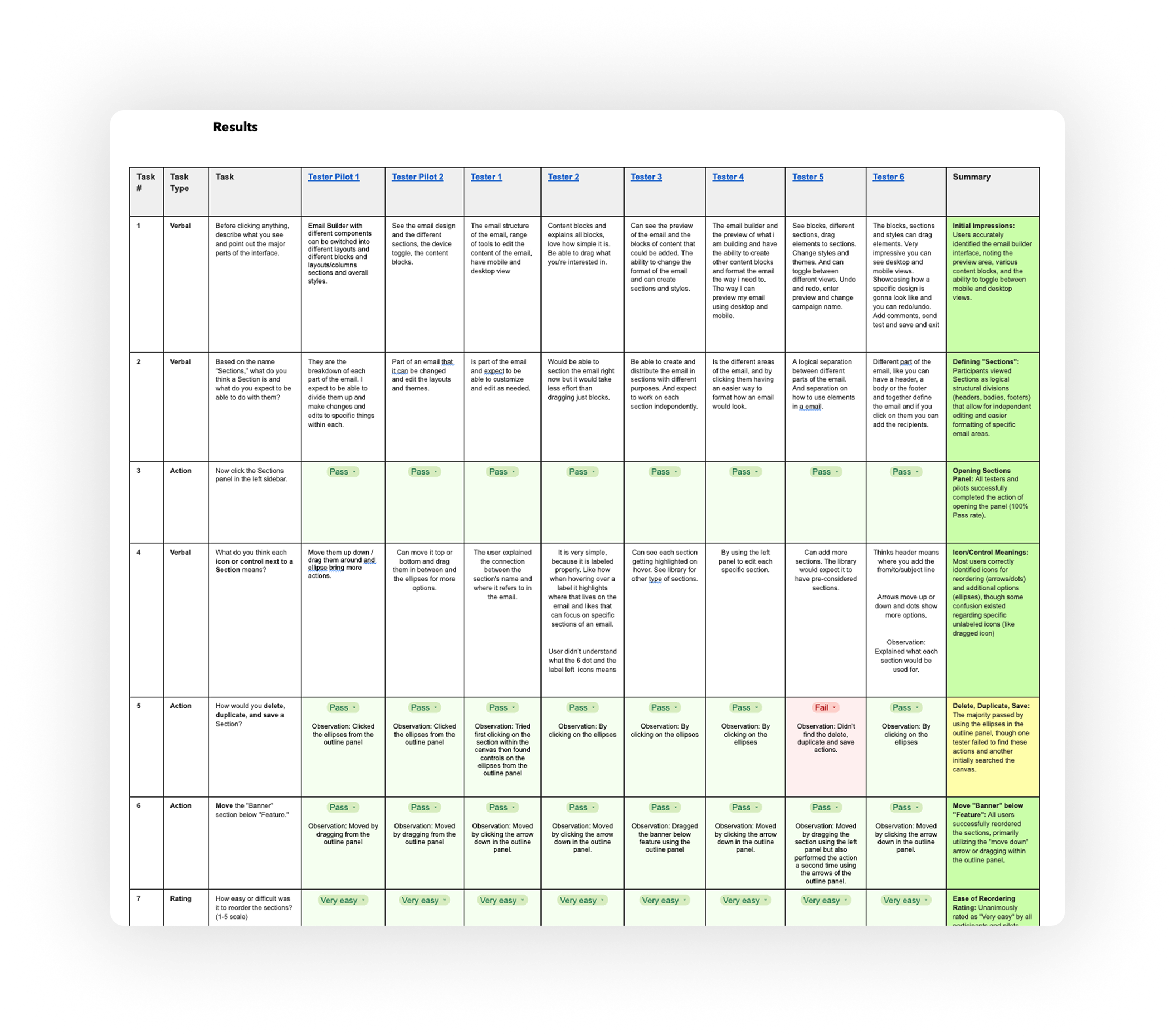
I tested the Sections concept with eight Mailchimp customers using a high-fidelity prototype. Participants completed the core tasks without assistance, validating Sections as a clear way to organize and manipulate email content.
100%
Task success
–
8/8
Rated reordering “Very Easy”
Strong adoption intent
Participants saw Sections as a simpler way to manage complex emails.
What needed work
While the Sections mental model was clear, style inheritance between global and section-level controls still created confusion.
CUSTOMER RESPONSE“And this is where Sections suddenly become genuinely useful.”
Robin Adams, Email Marketing Consultant
On the launch of Saved Sections
Click image to view original post ↗
Designing for every screen
The Email Editor was built around a desktop-first workflow, automatically stacking content for smaller screens. While that handled basic responsiveness, customers had little control over how their emails appeared on mobile.
I introduced mobile-specific controls that let customers choose the view they designed in and control how content adapted across desktop and mobile.
I. DESIGN VIEW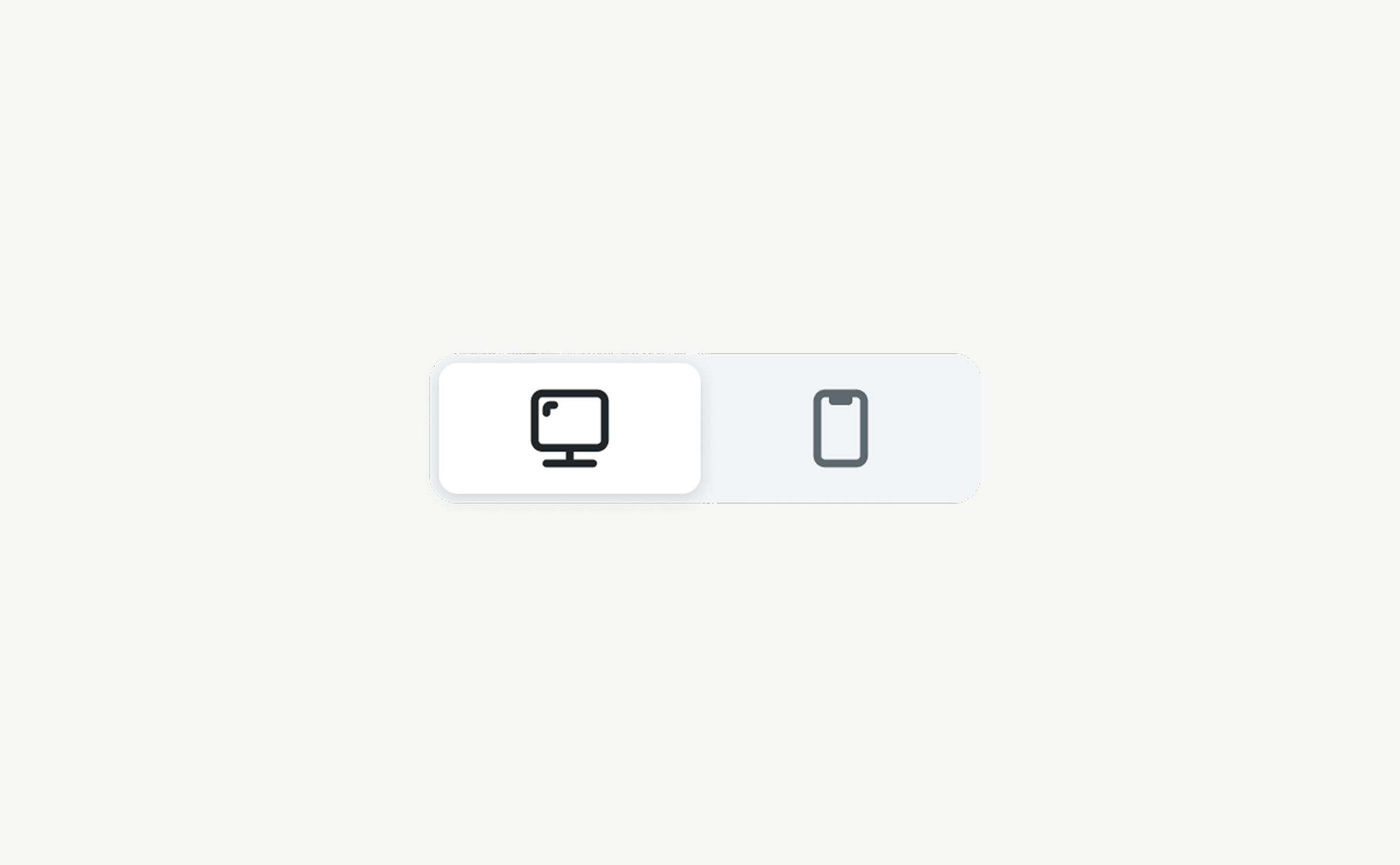
Design in desktop or mobile
Switch between views and design with either experience in mind.
II. RESPONSIVE CONTROL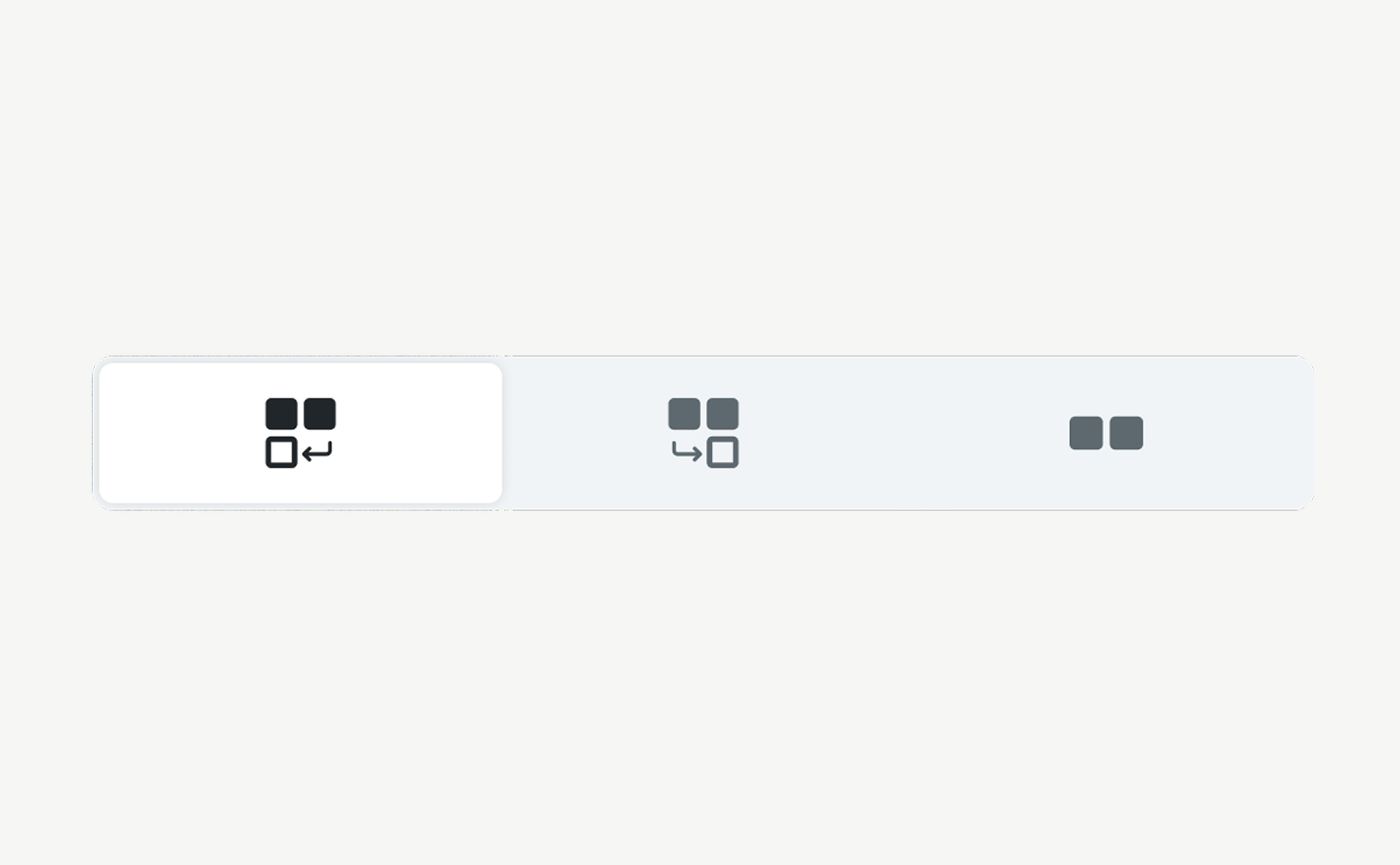
Control how content adapts
Keep layouts consistent, let them adapt automatically, or customize their behavior for each view.
III. VISIBILITY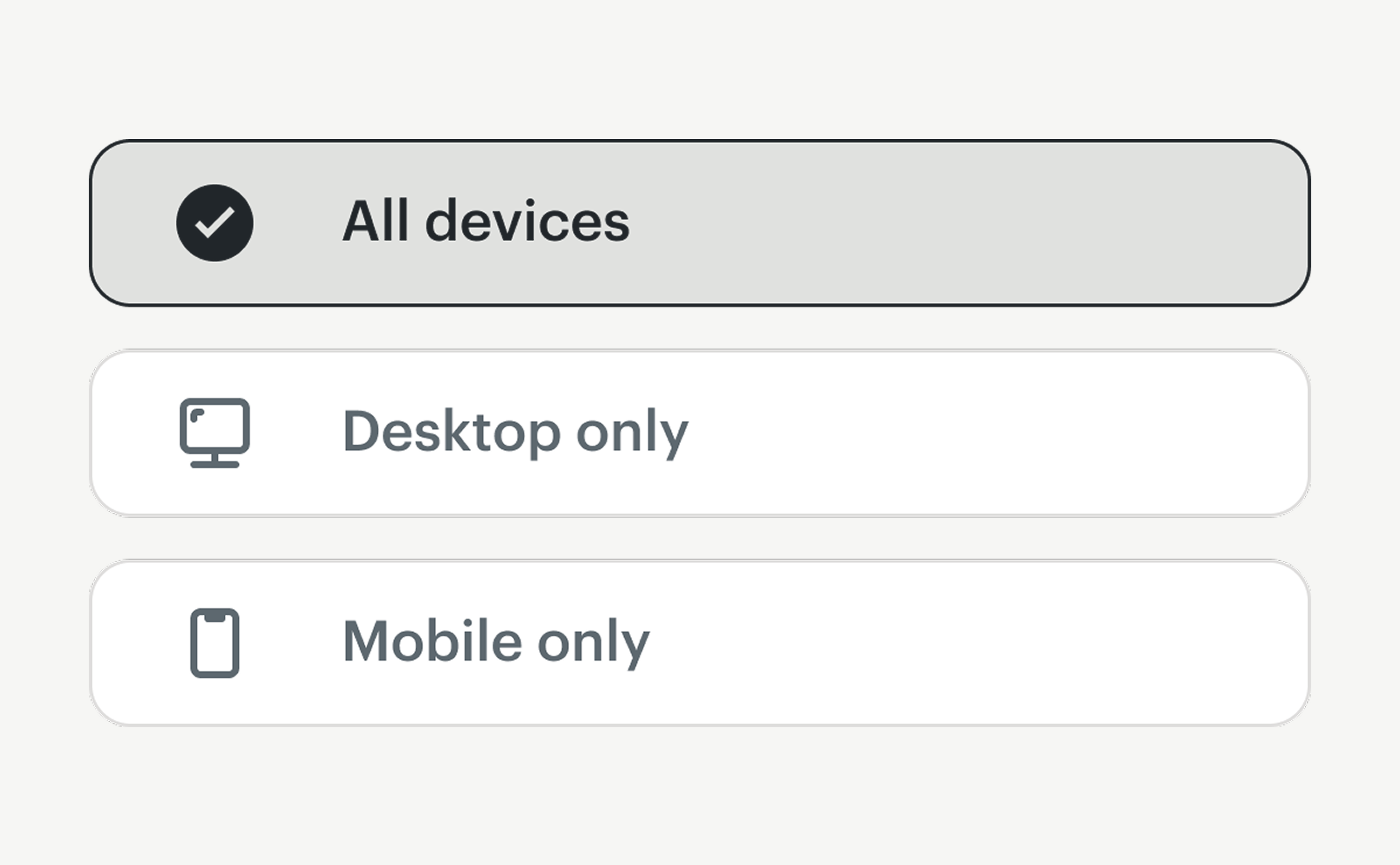
Decide what appears where
Show content across both devices, on desktop only, or on mobile only.
Extending the experience
The work extended beyond Sections and mobile editing. I continued evolving other parts of the Email Editor, from how customers applied their brand to how they interacted with content across devices.
BRAND + STYLES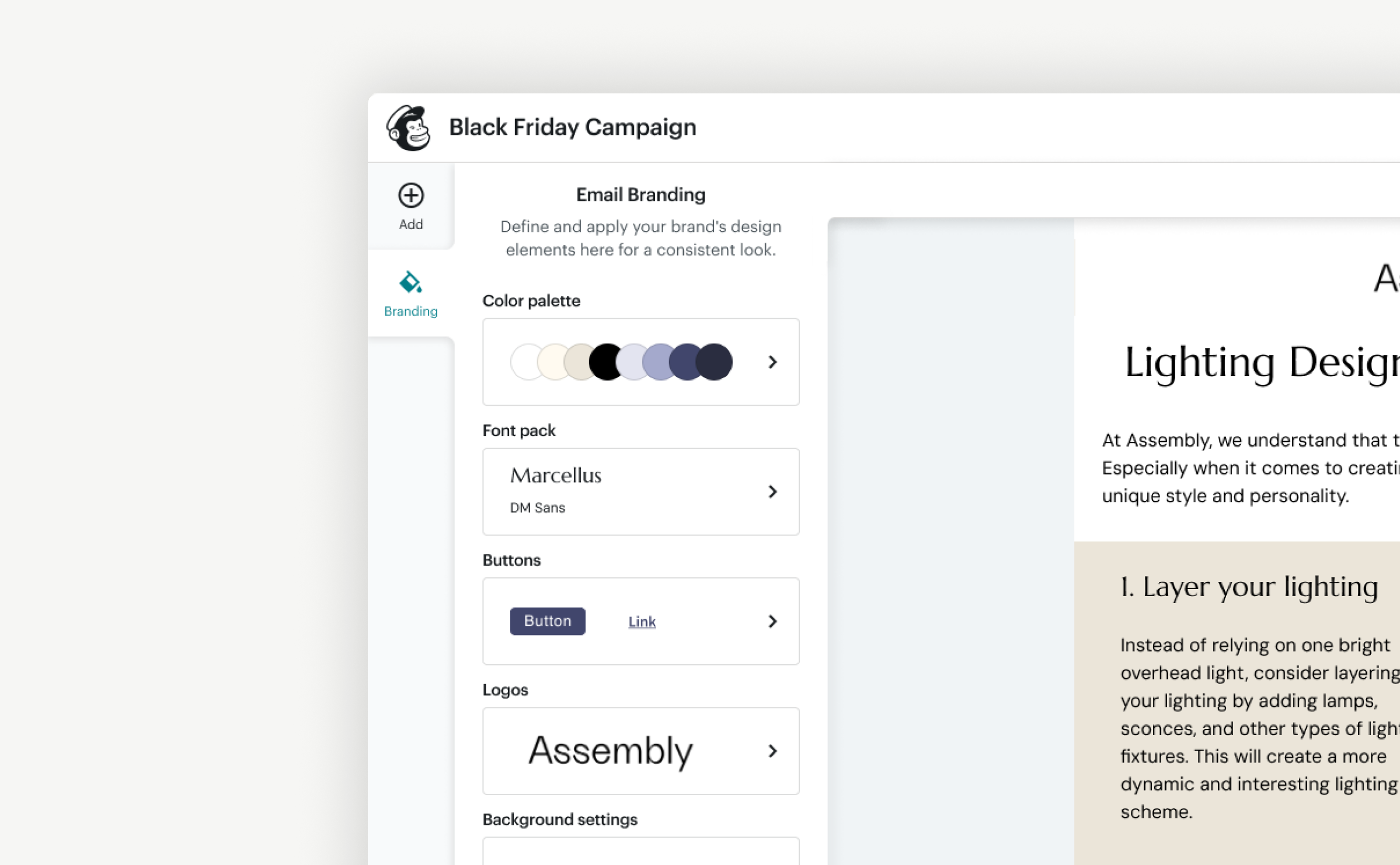
Brand control across desktop + mobile
I redesigned how customers applied and managed brand styles within the editor, while giving them more control over how those styles translated between desktop and mobile.
DRAG & DROP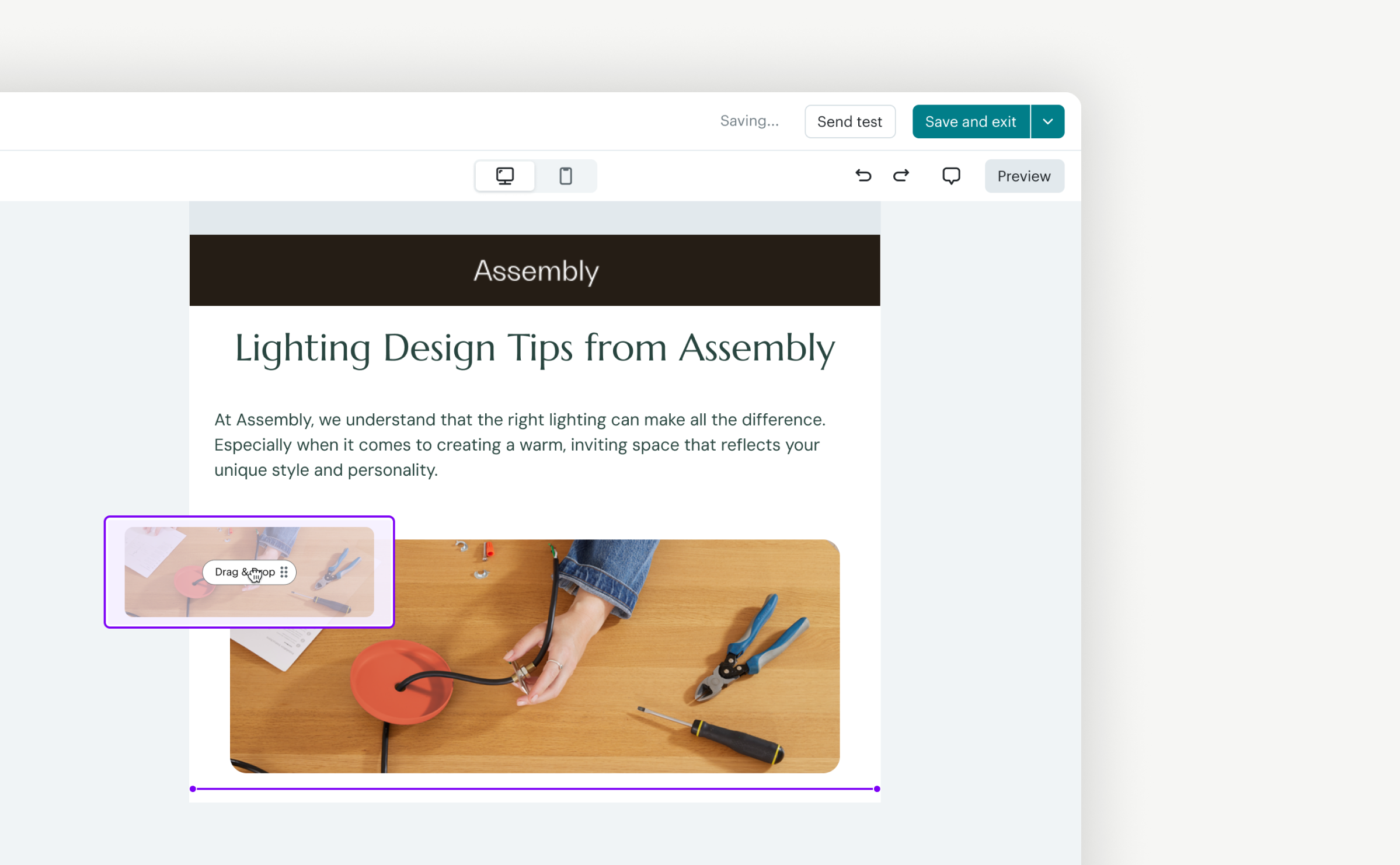
Designed for mouse + touch
I refined the drag-and-drop experience across mouse and touch, introducing clearer drop zones, drag previews, and interaction states that made moving content more predictable across devices.
As the editor became more structured and modular, those same building blocks opened new opportunities for intelligence.
Sections could evolve from reusable structures into something Mailchimp could help generate, recommend, and adapt.
03 / EMERGING TECHNOLOGYRethinking how AI fits into Mailchimp.
As generative AI began reshaping how people create, Mailchimp was exploring what an AI-first campaign builder could look like.
I explored that direction while also asking a broader question: did AI need its own builder at all?
Working across Mailchimp’s design system and the Email Editor gave me a different perspective. Instead of creating another destination customers had to learn, AI could become part of the tools and workflows they already understood.
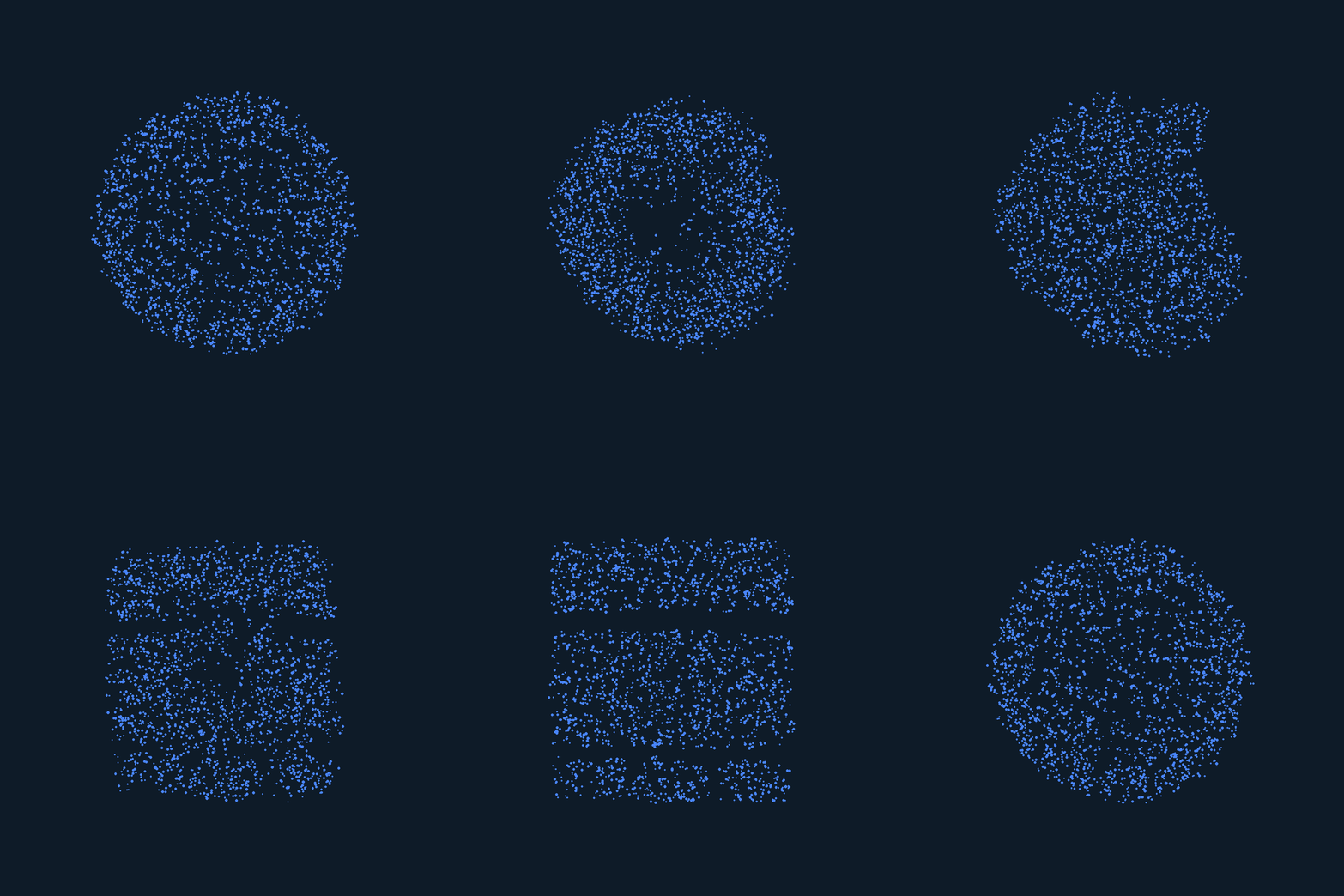
From a separate AI experience to an integrated one.
Rather than jumping to a single solution, I used each iteration to explore how deeply AI could become part of the creation experience.
I brought all three design directions into a single interactive prototype using Claude, Cursor, and Intuit's internal AI tools. By connecting Figma through MCP, I could translate designs into working experiences and iterate through conversational prompts.
I also built navigation between the different concepts, allowing the team to explore and compare each direction within the same prototype. The experience was hosted through GitHub, making it easy to share and gather feedback.
ITERATION 01AI or manual
AI enters the existing creation flow as an explicit choice. Customers can start with Mailchimp AI or continue building manually, with the ability to move between the two experiences.
↓
ITERATION 02One builder
The boundary between AI and manual creation begins to disappear. Customers can start with AI, then move into a builder where AI assistance and direct editing live together. Content blocks, direct manipulation, and conversation with AI become part of the same workflow.
↓
ITERATION 03One creation system
The idea expands beyond email. A unified builder adapts to the channel being created, while AI remains available throughout the experience. Customers can start with an email, expand it into a campaign, and move across channels without learning a different creation experience each time.